
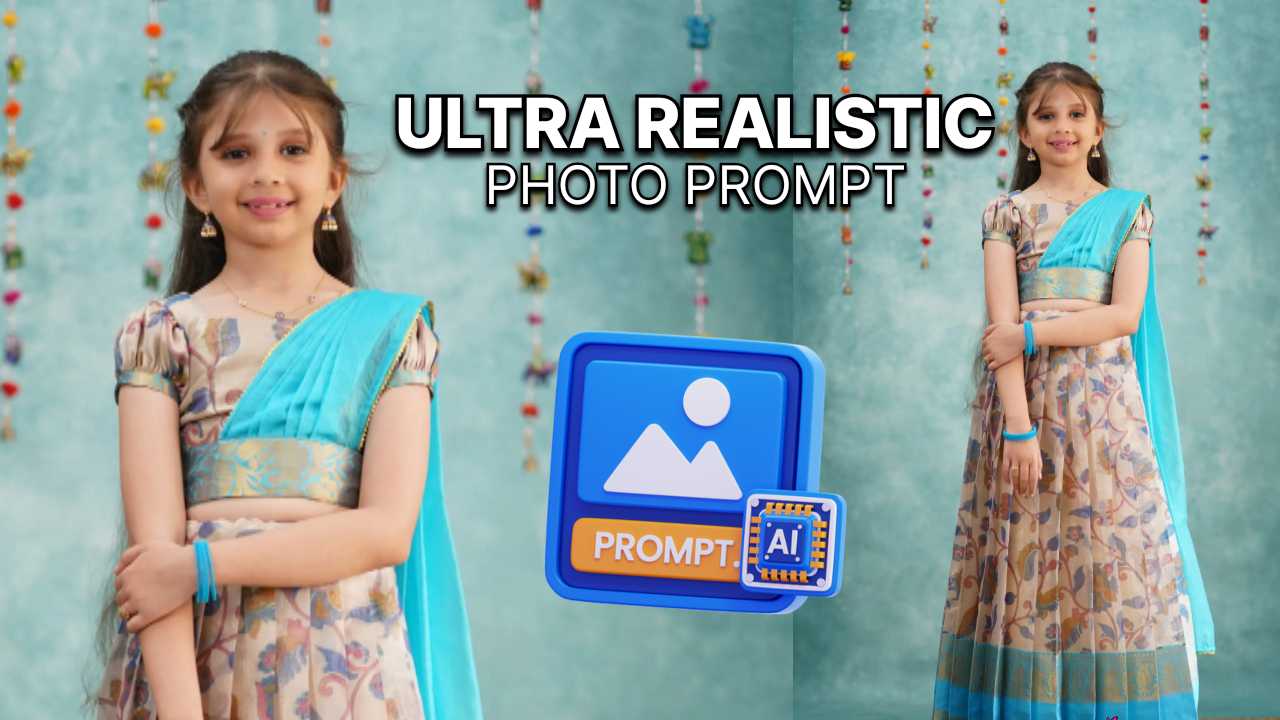
How to create this in Google’s Nano Banana
Follow these steps
- Open Google Gemini
- Select Nano Banana icon 🍌
- Upload your photo
- Copy and paste this prompt
Prompt:
Transform my photo into an 8K ultra realistic portrait with DSLR-quality clarity and depth of field. Restyle me in a traditional festive lehenga gown: floor-length, soft beige fabric with intricate floral and leafy motifs in red, blue, green, and gold. Add a wide turquoise blue hemline with golden zari embroidery, puffed short sleeves, and a turquoise-gold embroidered waistband. Drape a flowing turquoise dupatta with fine golden trim gracefully across the shoulder. Style with gold jhumka earrings, turquoise bangles, a small bindi, and a thin necklace. Hair should be neatly parted, half tied back, with soft natural flow. Background should be a teal textured wall with colorful hanging bead garlands, but keep it artistically blurred for a DSLR bokeh effect. Use cinematic soft lighting to highlight fabric textures, embroidery shimmer, skin tones, and natural glow. Capture every detail with lifelike depth, HDR richness, and photo-real clarity as if taken on a professional DSLR.