
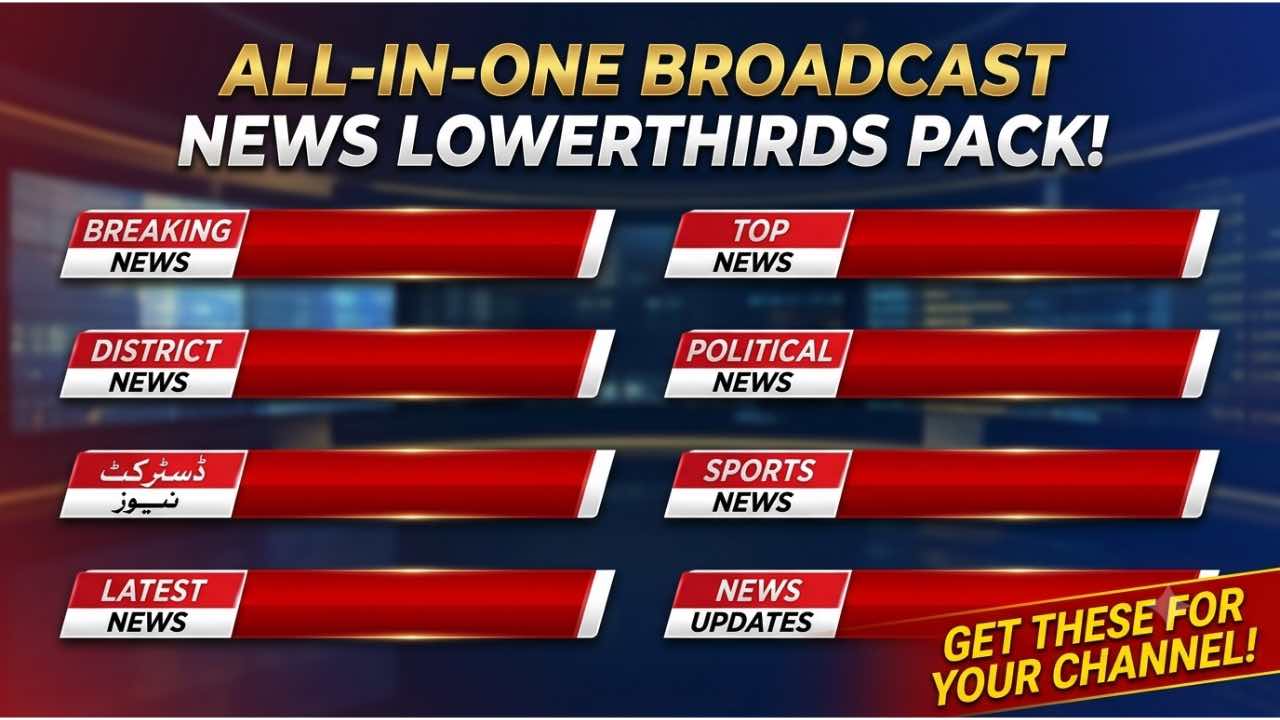
Discover a complete set of free animated lower thirds designed for green screen chroma key editing. This collection includes templates for Breaking News, Top News, Political News, Latest News, News Updates, Sports News, and District News. Each design features bold colors, smooth transitions, and professional broadcast quality, making them perfect for YouTube, Facebook, TikTok, CatCut, and KineMaster creators. Download
High-Definition Video Quality
All templates are available in Full HD 1920×1080 resolution. They deliver sharp clarity and vibrant detail, ensuring your projects look professional whether you are streaming live, editing tutorials, or producing news bulletins.
Breaking News Lower Third
The Breaking News template uses red and yellow highlights with bold typography to emphasize urgent updates. It flows seamlessly with dynamic motion graphics, capturing attention instantly.
Top News Lower Third
The Top News template combines a gradient red strip with bold “TOP NEWS” text. It is ideal for highlighting trending stories and integrates smoothly with CatCut and KineMaster chroma key tools.
Political News Lower Third
The Political News template features authoritative red and yellow banners. It is perfect for political segments, debates, and live broadcasts where clarity and impact matter most.
Latest News Lower Third
The Latest News template delivers current updates with bold red and yellow highlights. It ensures your content looks modern and engaging, especially when paired with transition effects in CatCut or KineMaster.

News Updates Lower Third
The News Updates template is designed for live coverage and rolling updates. Its bold typography and smooth animation make it ideal for continuous broadcasts and social media streams.

Sports News Lower Third
The Sports News template emphasizes energy and excitement. With bold text and vibrant colors, it is perfect for sports highlights, live commentary, and fan engagement videos.
District News Lower Third
The District News template focuses on local coverage. Its clean design and strong color palette make it ideal for community updates, regional bulletins, and grassroots reporting.
How to Use in CatCut
Import your chosen lower third into CatCut. Apply the chroma key tool to remove the green background, then position the banner at the bottom of your frame. Use transition effects to blend the animation smoothly with your footage.
How to Use in KineMaster
Load your project in KineMaster. Insert the lower third on a new layer, activate the chroma key option, and align the banner at the bottom. Add transition effects or motion blur for a polished broadcast look.
Fair Use Note
Important: Only subscribers of MTC Tutorials are allowed to use these videos on YouTube. For other platforms, please follow our official pages:
- Facebook: MTC VFX Official
- TikTok: @mtc.vfx
Final Thoughts
This complete lower thirds collection provides everything you need for professional video overlays. Whether you are producing breaking news, sports highlights, political debates, or local updates, these templates deliver broadcast-quality results. Subscribe to our channel and start using them today!
 |  |
 |  |
 |  |
 |  |