
 |  |
 |  |
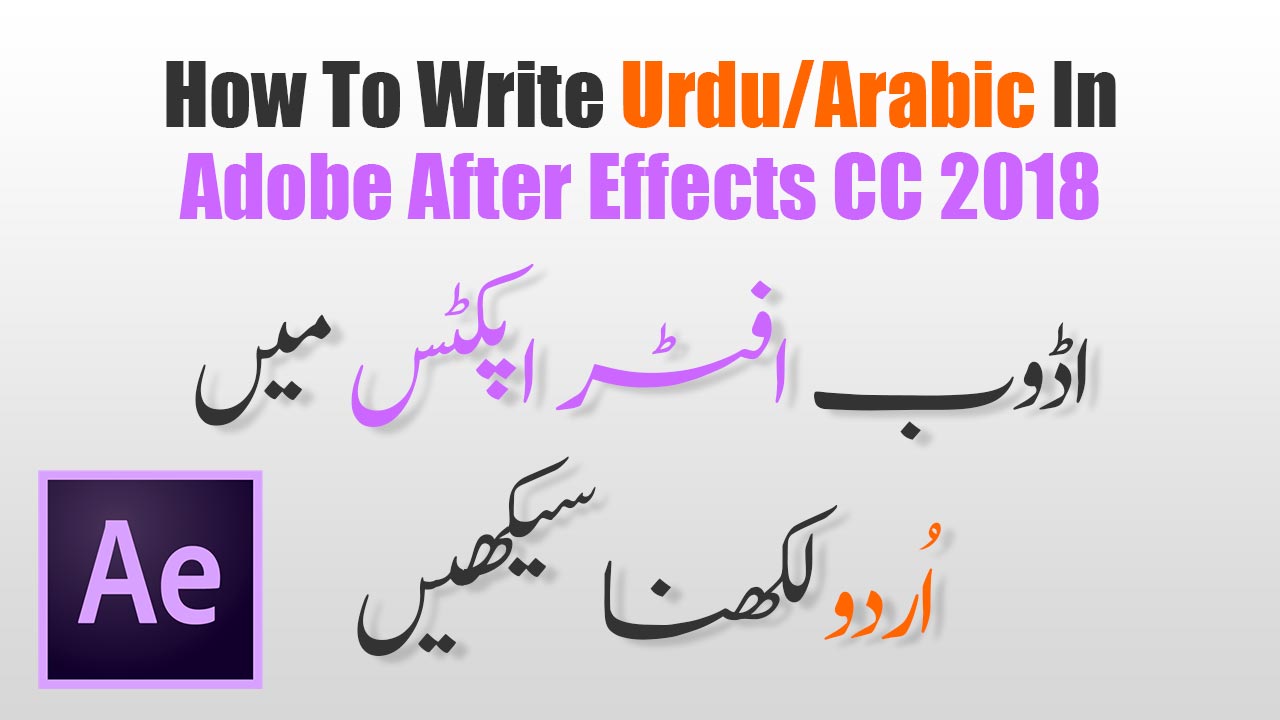
Hello everyone and welcome to the MTC Tutorials. Today i am going to show you the easiest way of writing Urdu/Arabic/Pashto text in Adobe After effects CC 2018. Please follow these steps and if you are facing any problem please comment bellow, i will reply as soon as possible.
Urdu Writing Steps (Adobe After Effects CC 2018)
Step 1. Open Adobe After Effects CC 2018.
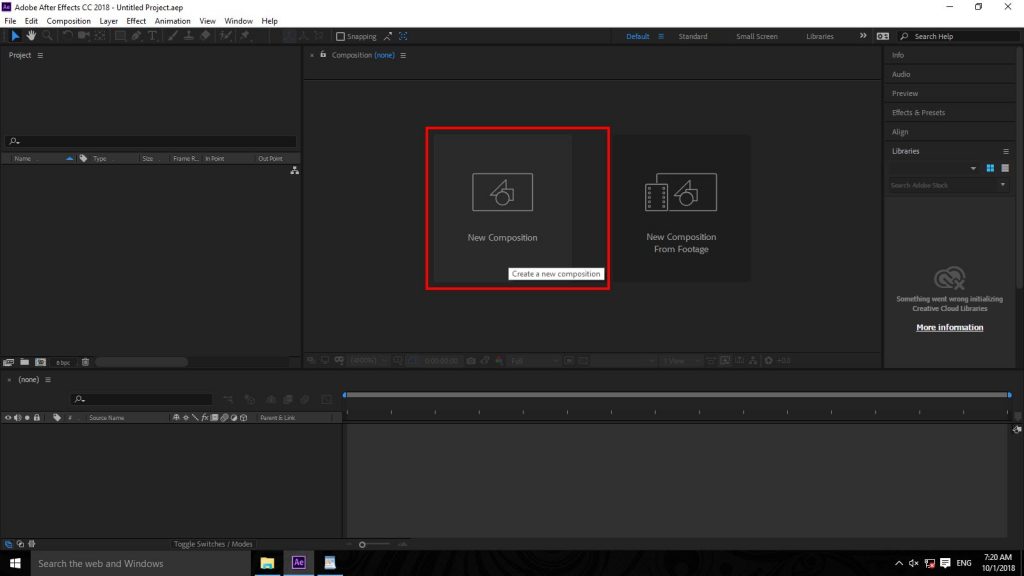
Step 2. Create a New Composition (as shown in AE01)
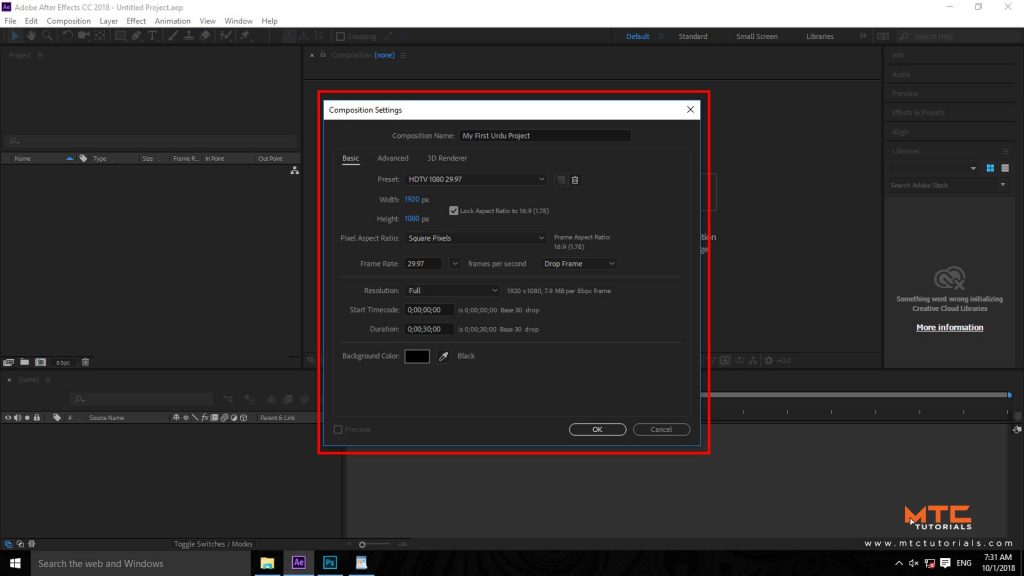
Step 3. Now you will Composition Settings dialogue box. Enter the name of your Composition and setting up your composition as shown in image(AE02) below, and click on OK button.
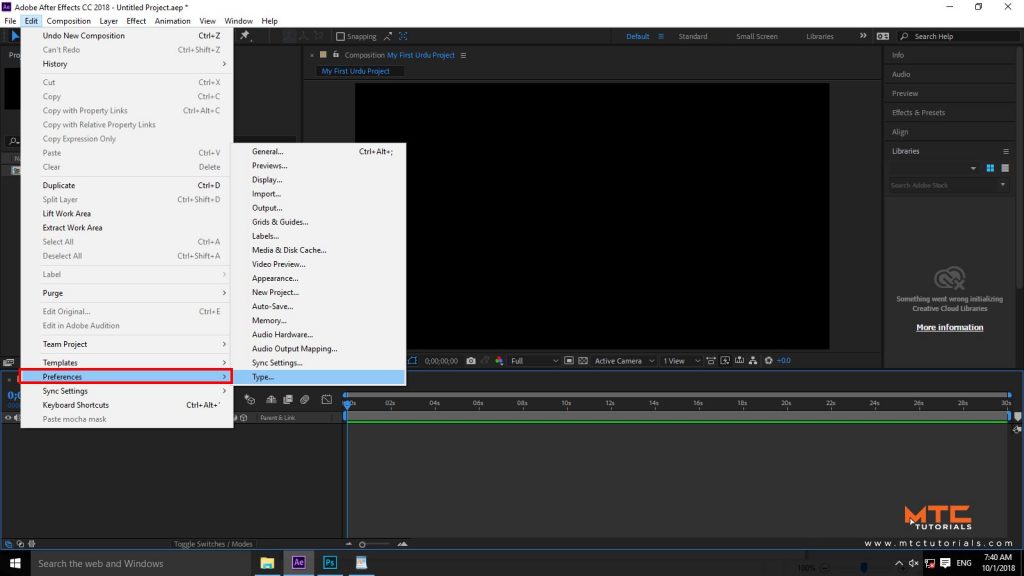
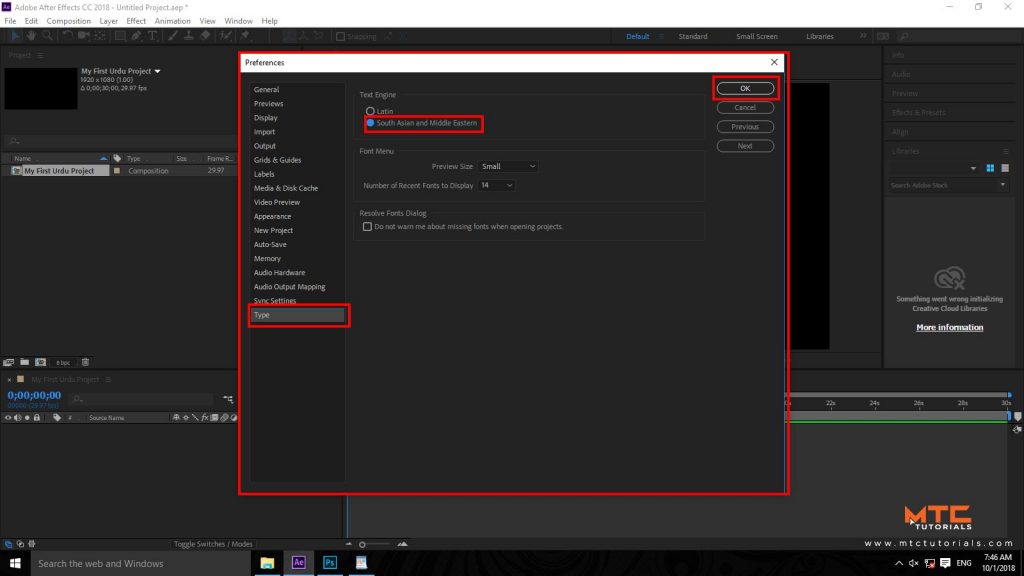
Step 4. Now you have created a composition named (My first Urdu Project). Go to the ‘Edit’ menu > Click on ‘Preferences’ > and select ‘Type…’.
Step 5. Type Preferences will appear in front of you. move your cursor to the Text Engine group, and select ‘South Asian and Middle Eastern’ in the list. Don’t make any other changes just click the OK Button.
Step 6. Restart Adobe After Effects and Install Urdu Phonetic 1.0 Keyboard.
Installing Urdu Phonetic 1.0 Keyboard:
Step 7. Download Pak Urdu Installer or Urdu Phonetic 1.0 Keyboard [Download Link]
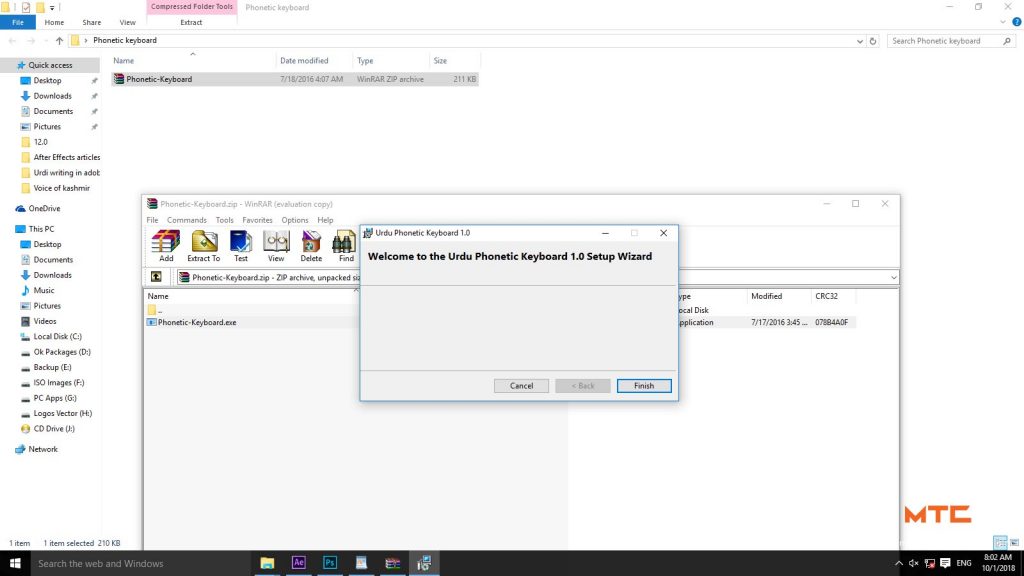
Step 8. Install Urdu Phonetic 1.0 Keyboard.
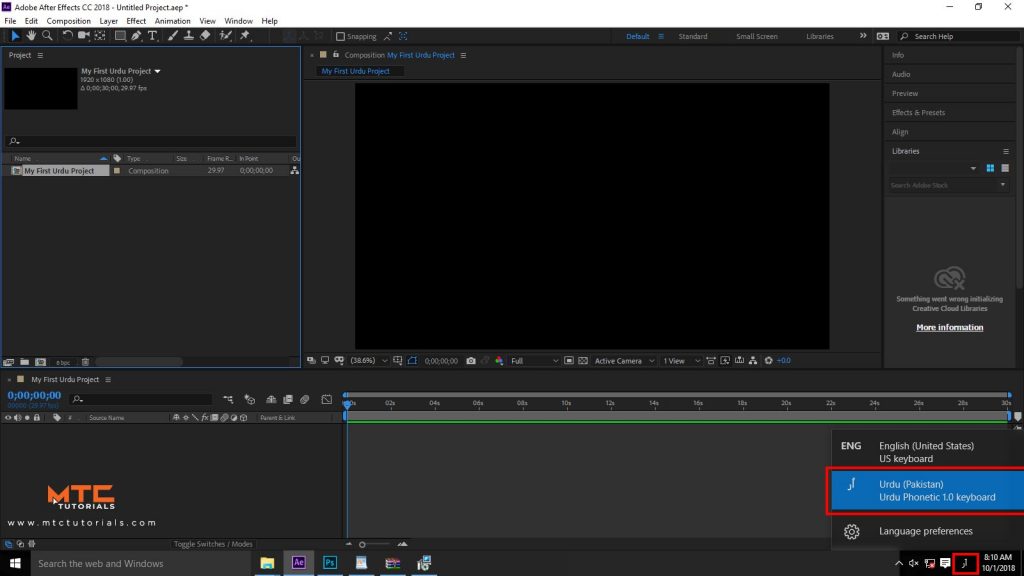
Step 9. After installing Urdu Phonetic 1.0 Keyboard, move down to the Windows Task Bar and click on ENG (Next to the Date & Time section) and select Urdu Pakistan (Urdu Phonetic 1.0 Keyboard).
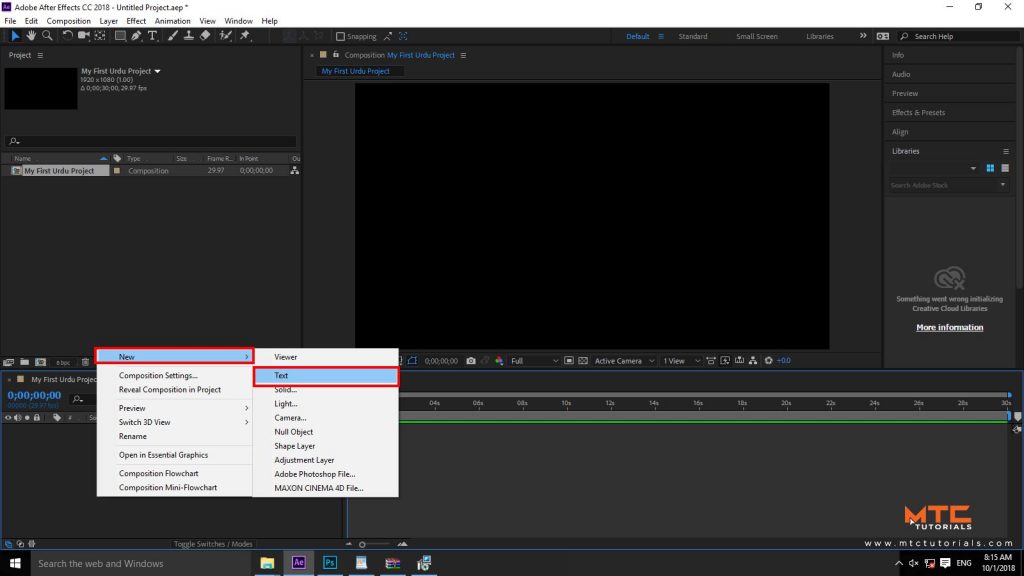
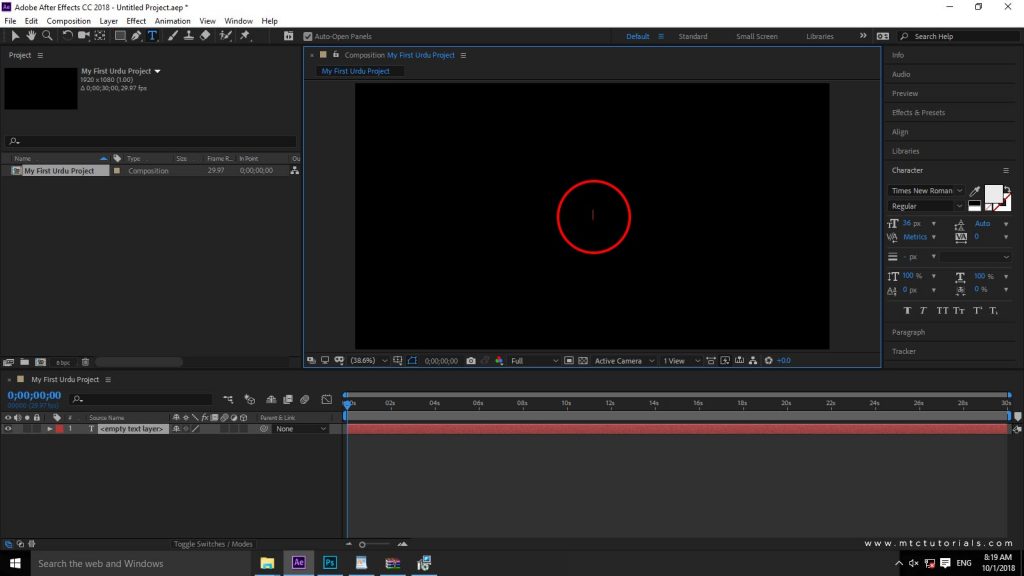
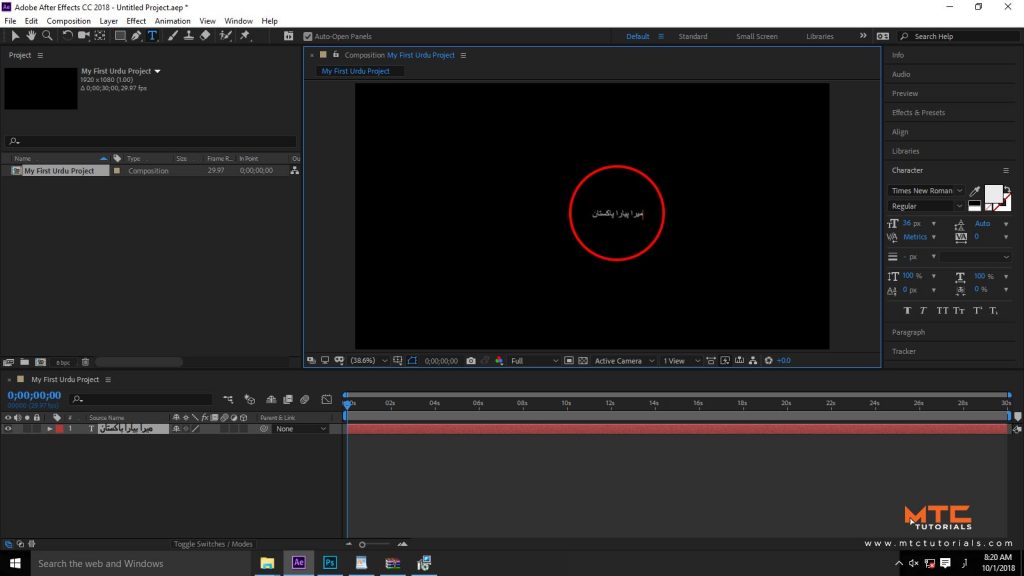
Step 10. Congratulation! You have done the job, now your are few steps away from writing Urdu in Adobe After Effects CC 2018. Right Mouse Click on the composition panel > Expand New > and select Text command. Red Cursor will appear in Composition preview panel, that means start typing Urdu text now…
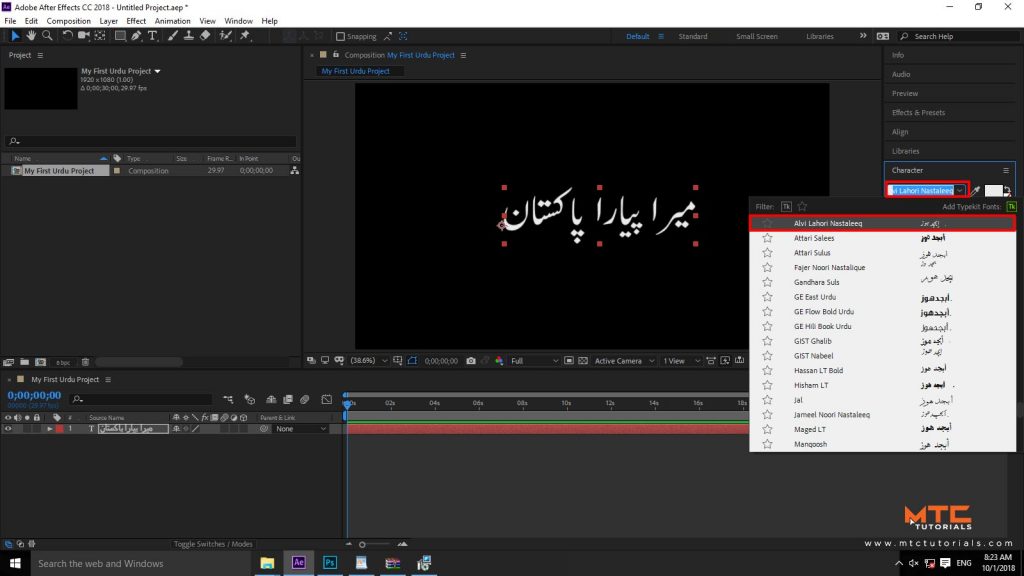
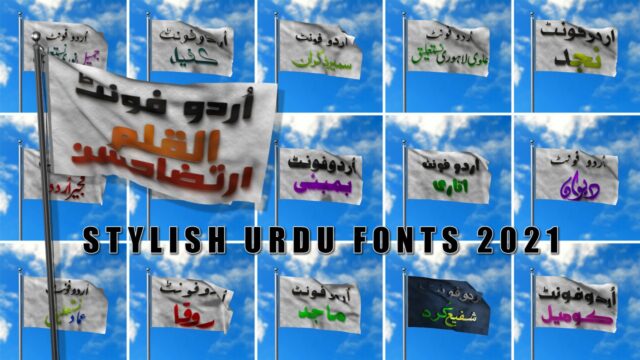
If you are not able to change the fonts style please read this article. “Download Urdu Fonts New Updated 2018“, i am sure you will learn a lot by reading this article.
Thanks for reading, Please Share this article with your friends on social media, and don’t forget to Subscribe my YouTube Channel.
 |  |
Comments are closed.