
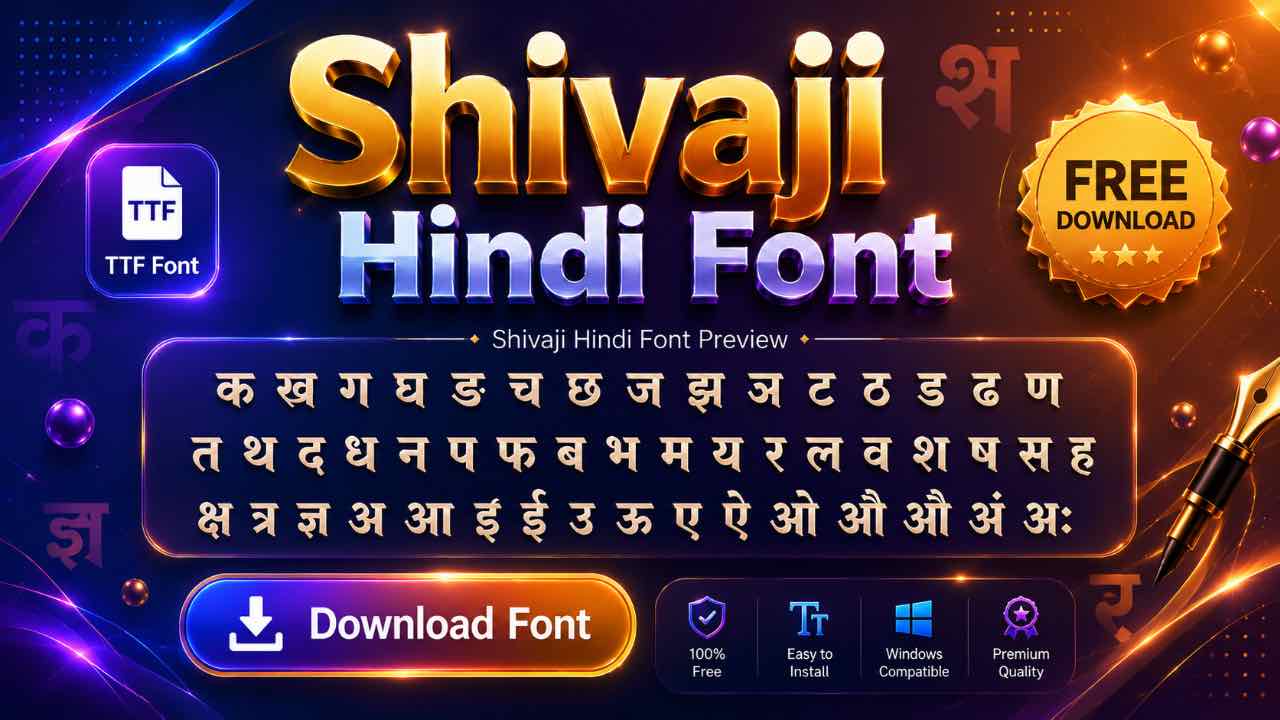
Shivaji keeps turning up on Hindi font lists, but the truth is a little different from what most people expect. This guide covers the download, the install steps, and exactly which language this font was actually built for.
What Is the Shivaji Font?
Shivaji is a non-Unicode Devanagari font built for typing on a regular keyboard. Three main versions circulate today: Shivaji 01, Shivaji 02, and Shivaji 05. It’s one of the oldest legacy fonts in the Devanagari world, trailing only Shree-Lipi in how long it’s stayed in active use.
Free Shivaji Font Download
The font is free, lightweight, and installs like any standard TrueType file. Pick a source offering a direct download, and avoid anything that pushes extra software. Shivaji will be ready to use in Word or Photoshop within a minute.
- 20 Best Modern Devanagari Fonts: Free Download Collection for Designers
- Download All Devanagari Fonts: Free Collection ZIP Pack
- Kokila Font Download: Free Guide for Hindi Documents
- Aparajita Font Download: Free Guide for Hindi Documents
- Mangal Font Download: Free Guide for Unicode Hindi Typing
Why This Is Actually a Marathi Font, Not Hindi
Here’s a detail worth clearing up: Shivaji is built for Marathi typing first, not Hindi. It shows up on Hindi font lists constantly because Marathi and Hindi share the same Devanagari script, and font sites tend to bundle them together.
That said, Devanagari-based fonts do cross over. Anything typed in Shivaji renders the same script whether you’re writing Marathi or Hindi content, so designers sometimes borrow it for Hindi projects too. If your work is specifically Marathi, though, Shivaji is the font built with your language in mind.
Installing Shivaji on Windows, Mac, or Photoshop
- Download the font file and extract it if it’s zipped.
- Right-click the TTF file and select Install on Windows.
- Double-click and confirm in Font Book on Mac.
- Restart Word, Photoshop, or PixelLab so the font appears in your list.
Government Exams and Shivaji’s Role Today
Maharashtra’s typing tests, including MPSC recruitment exams, historically leaned on Shivaji and similar Remington-based fonts. Most current exams have shifted to Mangal Inscript as the official Unicode standard, the same shift Hindi exams made away from Kruti Dev. Older exam centers and legacy documents still run on Shivaji, though, so it hasn’t disappeared from government use entirely.

Typing with the Shivaji Keyboard Layout
Shivaji’s layout follows the Remington typewriter tradition, similar in spirit to Kruti Dev, though the specific key mappings for Marathi characters differ. Home-row keys hold common consonants, and Shift accesses aspirated sounds and extra vowel signs.

Typists coming from Kruti Dev or DevLys will find some overlap in muscle memory, but expect a short adjustment period since the two layouts aren’t identical.
Converting Shivaji Text to Unicode
Old Shivaji files show up as broken text on modern devices unless the font is installed. A Shivaji to Unicode converter fixes that fast, turning legacy Marathi text into clean Mangal Unicode that displays correctly on any website or app. Most converter tools handle the reverse direction too.
Frequently Asked Questions
Is Shivaji Font Free to Download?
Yes, it’s free for personal and professional use, with no license fee required.
Does Shivaji Work for Hindi Typing Too?
Technically, yes, since it’s a Devanagari font. But it was built for Marathi, and Hindi-specific fonts like Kruti Dev or DevLys are a better fit for Hindi typing tests.
Which Shivaji Version Should I Download?
Shivaji 01 is the most widely used and safest starting point. Shivaji 02 and Shivaji 05 offer slightly different letterforms if you need variety for design work.
Can I Use Shivaji for MPSC Exams?
Check your exam notification first. Most current MPSC typing tests specify Mangal Inscript, so Shivaji mainly helps with older documents or legacy systems now.
Final Thoughts on the Shivaji Font
Shivaji holds a unique spot on this list: it’s a Marathi font that keeps showing up in Hindi font searches because of the shared script. Download it if your work touches Marathi typing or design, install it properly, and keep Mangal Inscript on hand for anything that needs to meet today’s exam standards.