
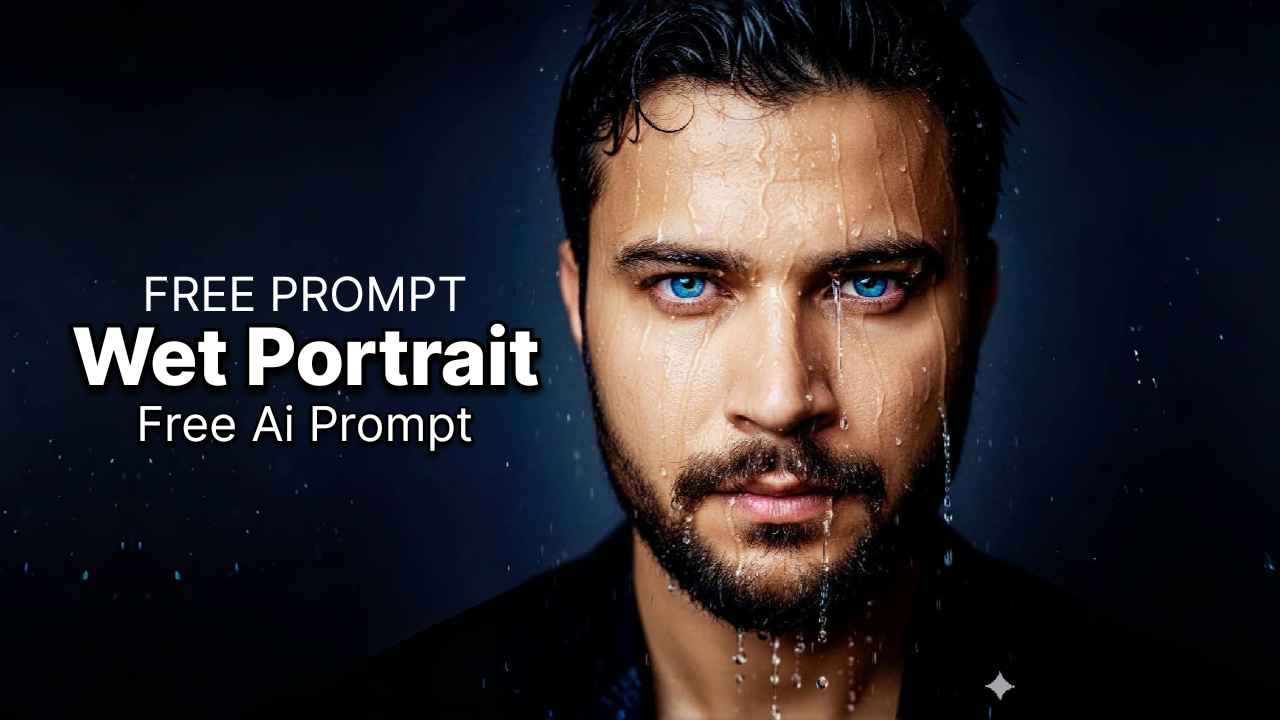
How to create this in Google’s Nano Banana
Follow these steps
- Open Google Gemini
- Select Nano Banana icon 🍌
- Upload your photo
- Copy and paste this prompt
MTC Prompt:
A hyper-realistic, high-resolution portrait of my image with a focus on a medium-close shot. The person has Blue eyes that are piercing and intensely focused on the camera. The face is wet, with water droplets trickling down the forehead, nose, and cheeks. The lighting is dramatic and moody, with a strong, directional key light highlighting the texture of the skin and the individual water droplets. The background is a soft, out-of-focus [Background Color/Description] to make the subject stand out. The overall mood is intense and emotional.
Ultra-realistic, cinematic, photographic, high detail, sharp focus, dramatic lighting.
How to use this prompt effectively
Vary the keywords: You can experiment with different keywords to change the style. Try adding terms like “dystopian,” “neon,” or “monochromatic” to see what happens.
Use negative prompts: If the AI model you’re using supports it, you can add negative prompts to avoid unwanted elements. Some good ones to include might be blurry, low quality, cartoon, illustration, painting, amateur.
Experiment with different AI models: Different AI models excel at different things. You might get better results from a model designed for photography (like Midjourney) versus one that specializes in art.
Remember, getting the perfect image might take a few tries. Don’t be afraid to adjust the wording and try again.